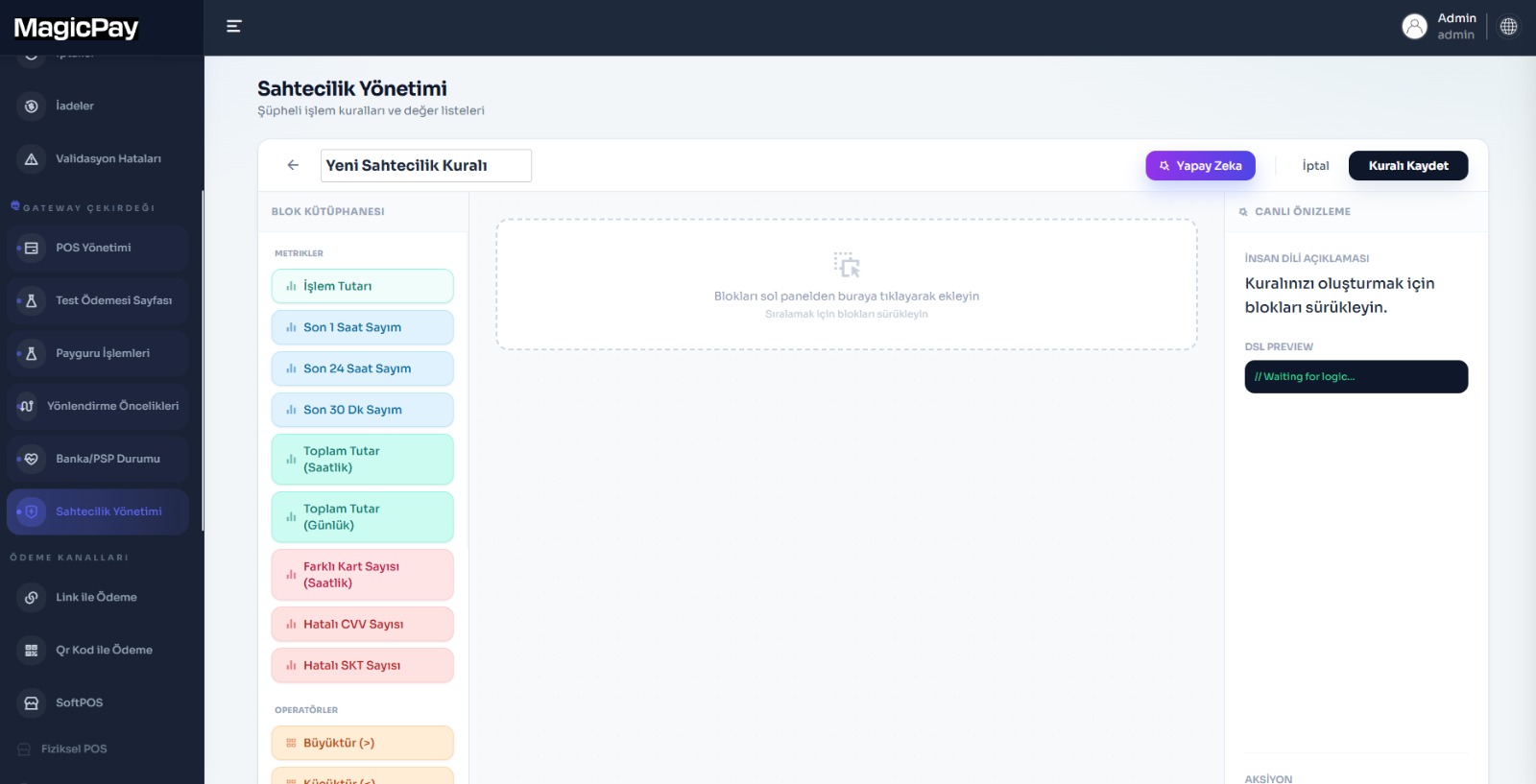
Unauthorized card use can lead to a payment dispute after goods have been delivered. Applying the same strict controls to every transaction can also create unnecessary obstacles for genuine customers. MagicGuard connects fraud prevention to your business's order and customer behavior. Build rules using amount, transaction frequency, card and connection details, then send suspicious transactions for additional authentication, decline or manual review. Track risk signals, team decisions and financial outcomes on the same order to refine controls using your own transaction history.
Define rules for your business model
Use dashboard-managed rules to decide which behaviors need attention. Evaluate multiple signals together rather than relying on a single amount limit. For each rule, choose decline, 3D Secure authentication or manual review, with the reason for the decision visible in the transaction history.
- Repeated attempts from the same card within a short period
- Transactions above your chosen amount
- Checks based on card issuing country and card type
- Attempts using different cards from the same customer or IP address
- Blocklists you manage for card references, email addresses and IP addresses
Apply additional authentication according to risk
Not every order has the same customer and transaction context. Send payments that appear risky to 3D Secure while other transactions continue through the configured payment flow. Cardholder authentication and your business's risk decision complement each other. Review the rule's effect on the order alongside the payment outcome to distinguish unnecessary obstacles from behaviors that need attention.
Manage manual review in a shared record
See a transaction under review alongside its order, rule outcome and provider response. An authorized team assesses it and keeps the approval or rejection decision and subsequent action in the same history. Risk review and the payment's financial state are tracked separately. A review decision is therefore not mistaken for a completed payment, and support and finance work from the correct transaction status.
Refine rule performance using your own data
Track which rules send which transactions for review and what decisions follow. Compare similar order groups before and after a change. Risk teams use the decision history while operations reaches the same order's payment outcome. Evaluate rules using review outcomes and the complete customer journey, not just the number of transactions blocked.
Fraud management in three steps
Turn a risk signal into a practical action and a traceable team decision.
- 1. Define amount, frequency, card and customer behavior rules that suit your business model.
- 2. Link each rule to decline, additional authentication or manual review and test it with sample orders.
- 3. Track review decisions and payment outcomes together to update your rules.
For risk, operations and customer support
Help teams work from the same risk record in high-order-volume stores, digital services and marketplaces. Support sees why an order is pending, risk sees which signal is being reviewed and finance sees the payment outcome. Bring fraud management into payment orchestration without preparing separate messages and files to connect the records.