Open-Loop Wallet

Open-loop wallet infrastructure for your brand.

Build your branded customer wallet with MagicPay infrastructure. Connect your mobile app, shared dashboard and personal and business payment flows.

MagicPay Wallet
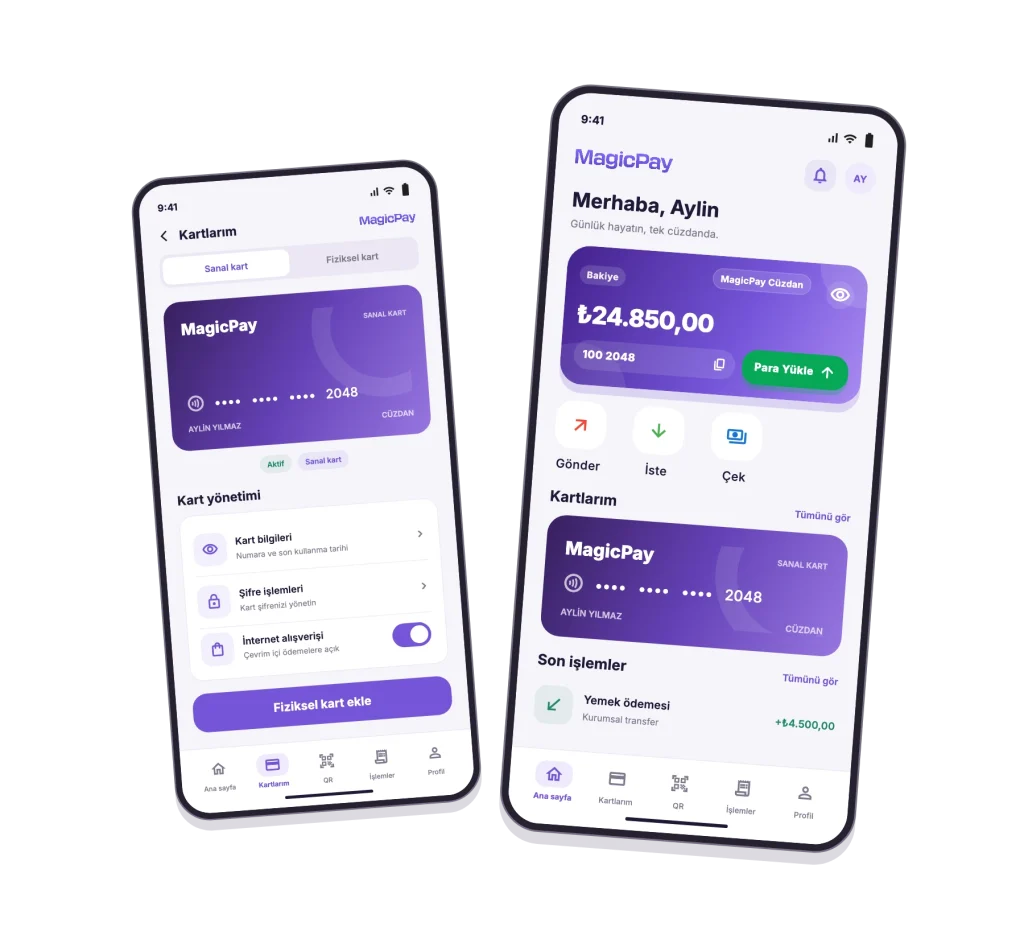
Two phones showing the MagicPay wallet home screen and virtual card management
Cards and transfers
Turkish interface · App preview

Your branded mobile app

Offer your customers balances, cards, transfers, bill payments and campaigns under your own brand.

One shared operations dashboard

Manage customer, transaction, limit and reconciliation records in one dashboard with access controls for your teams.

Personal and business flows

Bring customer payments, bulk transfers, meal allowances and employee payments together on the same infrastructure.

Wallet modules

MagicPay provides B2B technology infrastructure for brands and institutions building a wallet for their own customers. Connect your branded mobile app and shared operations dashboard through the same transaction records, bringing individual customer journeys together with bulk transfers, meal allowances and employee payments. Electronic money, card and transfer services are delivered within the scope of the relevant authorized institutions and providers.

Images show the Turkish app interface with sample data.
Open-loop or closed-loop?

Choose the model for your customer wallet around its intended usage network: connected payment and transfer networks, or the network defined by your brand.

  • Open-loop wallet: Payments, cards and transfers operate within the service scope of the relevant authorized institutions and providers and the coverage of the linked card network.
  • Closed-loop wallet: Balance, gift and loyalty flows are designed for the stores, dealers or usage network defined by your brand.
Closed-Loop Wallet

Personal wallets

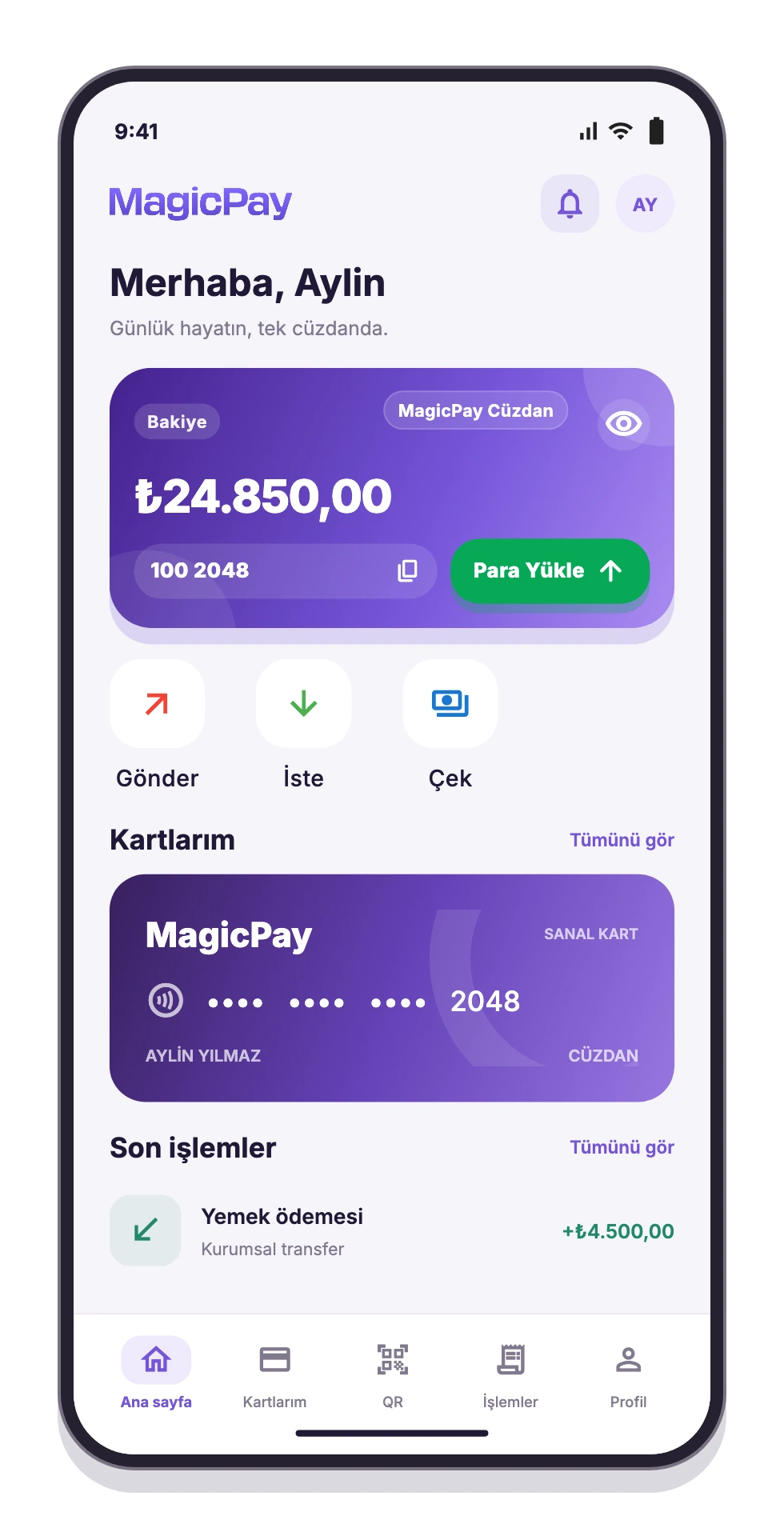
Give your users a wallet experience that brings everyday financial activity into one mobile app. Balances, cards, payments and campaign activity appear under the same account, with in-app flows for sending money and sharing expenses.

  • View balances and transaction history.
  • Add funds, send money and withdraw funds.
  • Transfer between wallets and request money.
  • Manage cards and bill payments.
  • Explore participating merchants and cashback campaigns.
MagicPay wallet balance, quick actions and cards
Personal wallets

Business wallets

Manage employee payments, meal allowances and bulk transfers by company and product. Finance and operations teams work in the same dashboard, from preparing payments to checking results. Separate products keep payment purposes distinct, while recipient-level results make each bulk payment easier to track.

  • Track business balances and funds movements.
  • Create bulk payments for multiple recipients.
  • Separate meal allowances and other employee payments by product.
  • Set rules and limits by company and product.
  • Manage operations and reporting through authorized users.

Card management

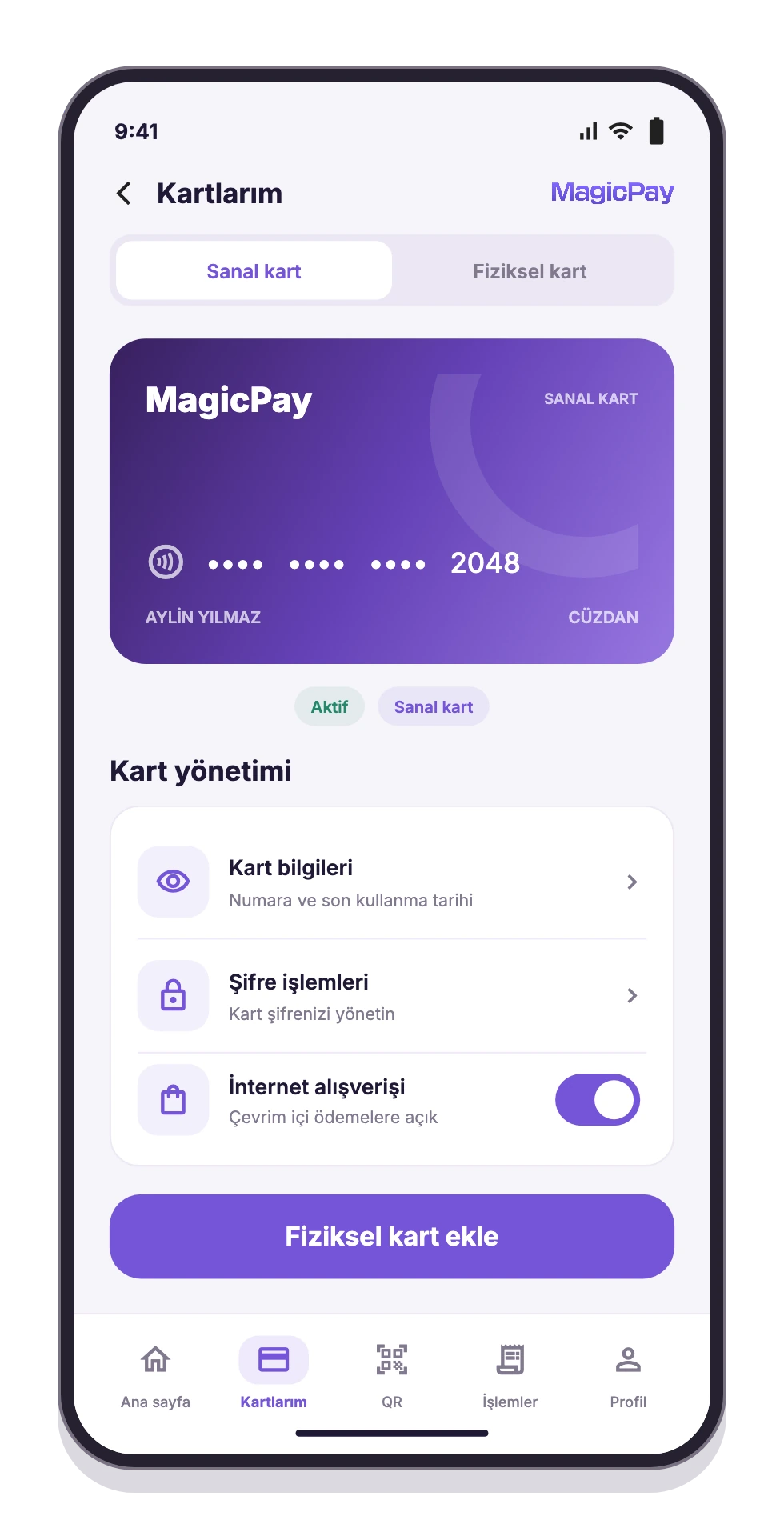
Make virtual and physical cards part of your wallet experience. Users can add cards to the app, complete activation and PIN setup, and control whether their cards can be used for online purchases. Card spending is recorded with amounts and transaction details.

  • Offer virtual and physical card options.
  • Add physical cards to the wallet and track their status.
  • Set and change card PINs.
  • Manage permission for online purchases.
  • Support purchases and ATM transactions with eligible cards.
MagicPay virtual card and card usage settings
Card management

Adding funds and bank transfers

Connect wallet balances to everyday payments through supported bank and IBAN transfers. Users can track incoming and outgoing transfers alongside their wallet activity. Available balances are shown before a transaction, while saved IBAN details reduce repeat data entry.

Wallet-to-wallet transfers

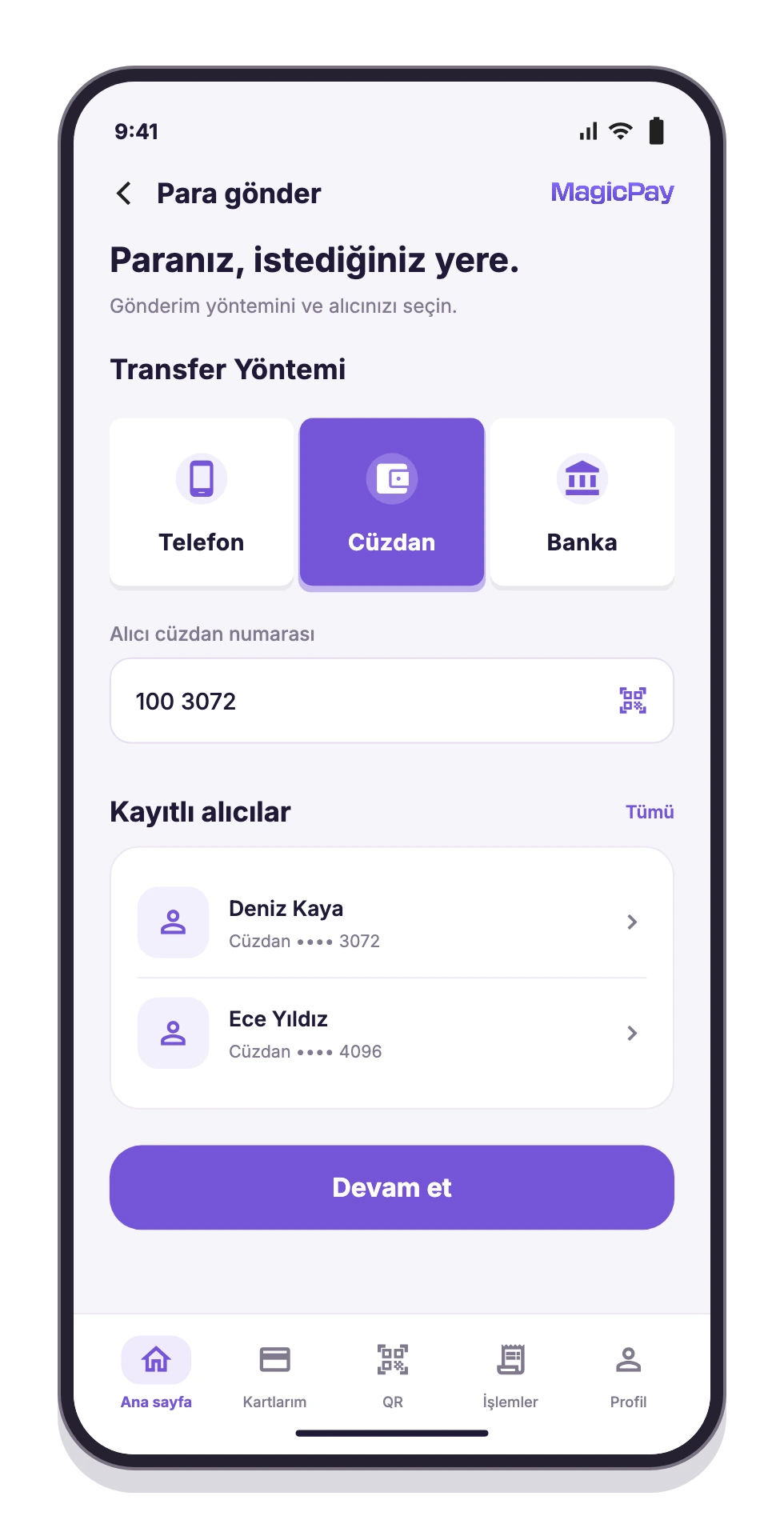
Let users send money to another wallet through the app. The same flow supports paying a friend, splitting a shared expense or sending money to a family member. Incoming and outgoing transfers appear in the transaction history with the amount, date and status.

Wallet transfer and saved recipient selection
Wallet-to-wallet transfers

Accessing balances and withdrawing funds

Give users access to their wallet balances through supported channels. The app lets them initiate ATM cash withdrawals with eligible cards or transfer funds to a bank account. Completion times depend on the channel's operating conditions and transaction checks.

Bill payments

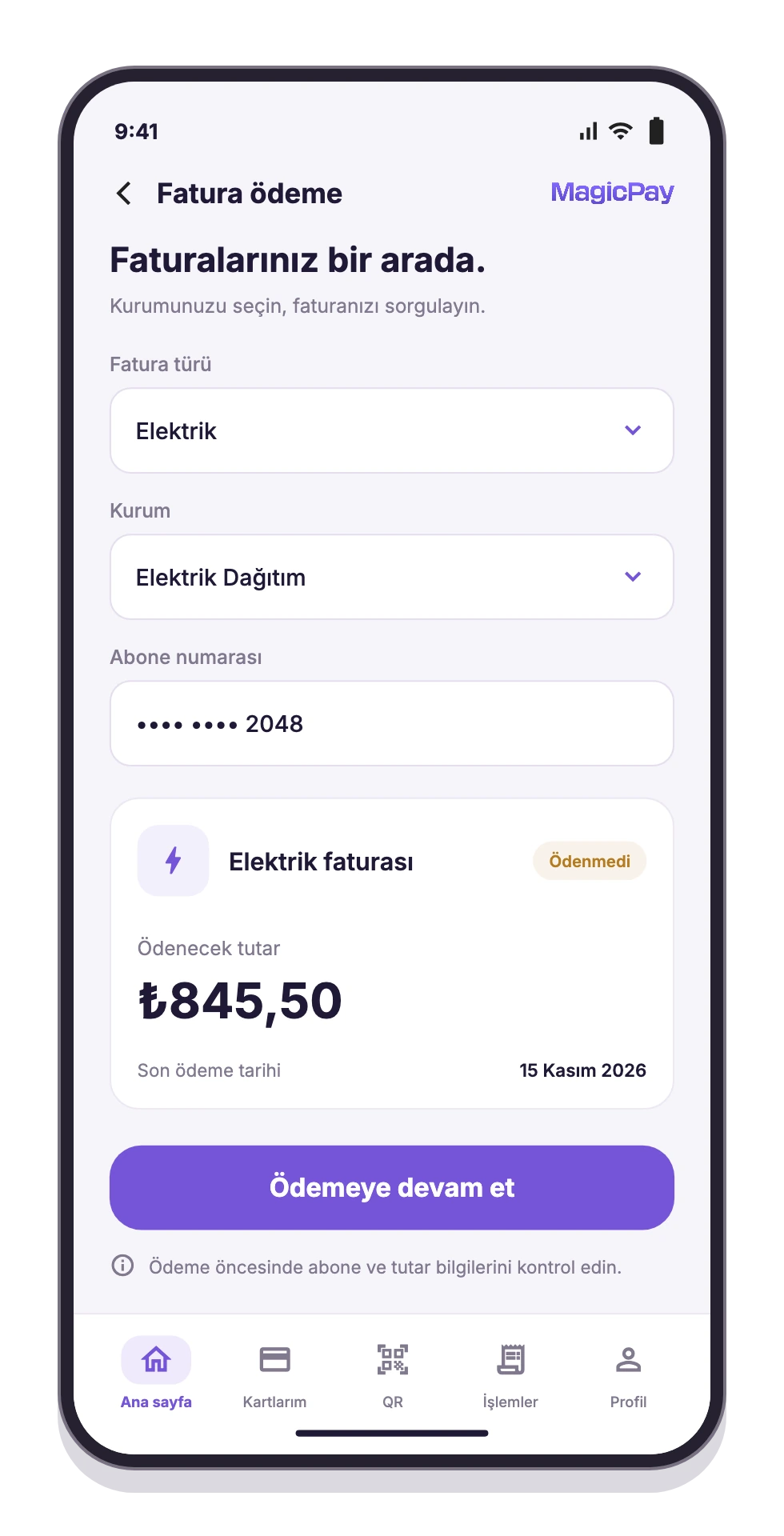
Bring bill lookup and payment for supported billers into the wallet app. Users select the biller, enter the required lookup details, review the returned bill information and complete the payment. Payment history remains available through the same account.

Electricity bill lookup and payment summary
Bill payments

Participating merchants and offers

Connect your wallet users with participating merchants and campaigns. Before shopping, users can review merchant details and the terms of each offer. For your business, this creates a visible channel for bringing users and participating merchants together around relevant benefits.

Cashback campaigns

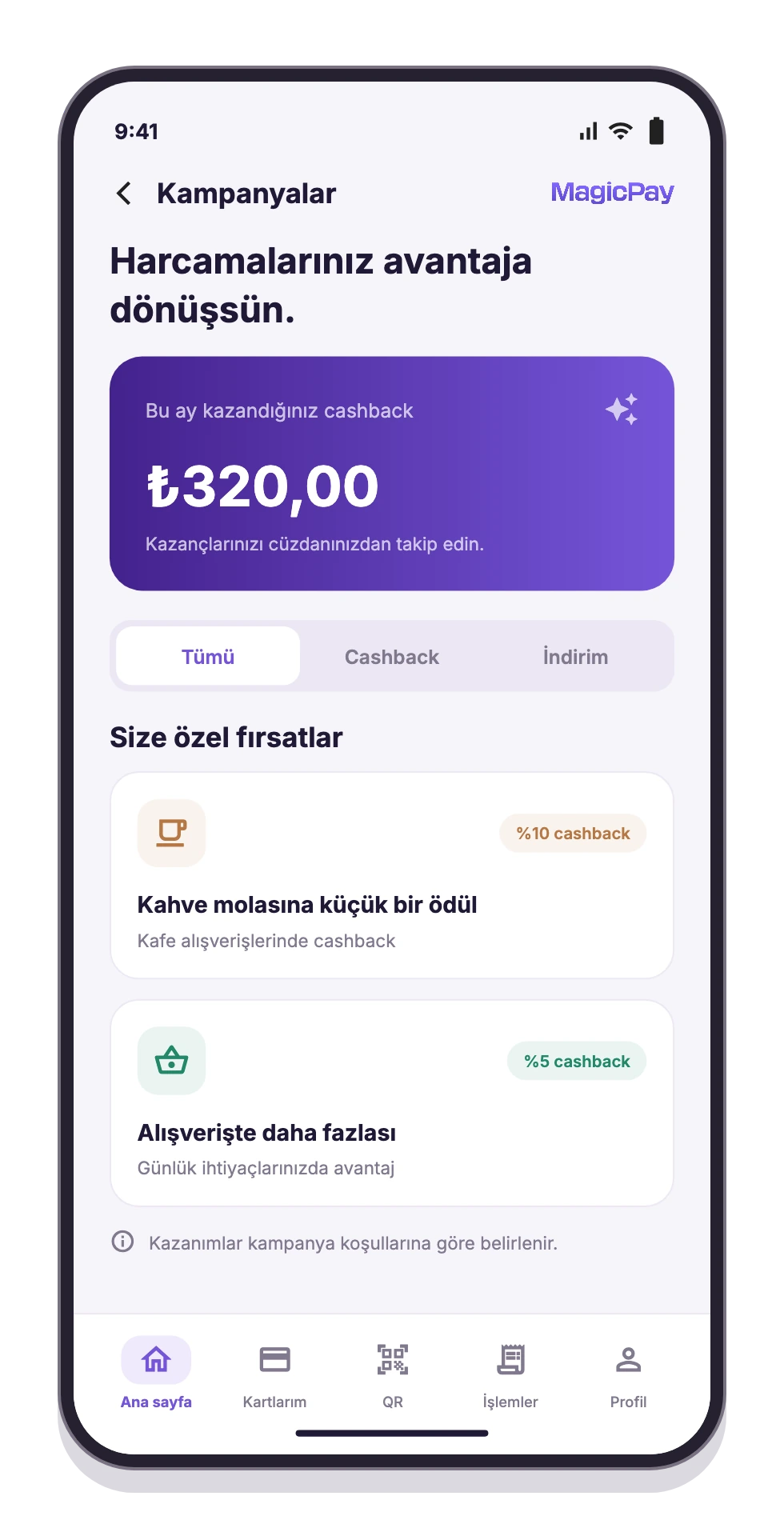
Link eligible campaign spending to rewards credited to the wallet. While a discount provides a benefit at checkout, cashback rewards users after a purchase meets the campaign conditions. The reward amount, cap, crediting time and usage terms are clearly displayed.

Cashback rewards and shopping benefits
Cashback campaigns

Bulk transfers

Prepare payments to multiple recipients in one list. Upload recipient details and amounts from an Excel file or enter them manually, then separate payment types by company and product. After pre-submission checks, track scheduled payments and the result of each row in the dashboard.

  • Upload recipient details and amounts in bulk with Excel.
  • Create payment lists manually.
  • Separate payments by company, product and purpose.
  • Track scheduled payments and transaction status.
  • View completed, failed and review-required transactions separately.

Meal allowances and employee payments

Organize meal allowances and other employee payments under separate products. Prepare each distribution by selecting the company, product, recipient list and payment period. Finance teams can run periodic checks and track results in the same dashboard, with eligible uses and spending rules managed through the relevant product configuration.

Transaction history and reporting

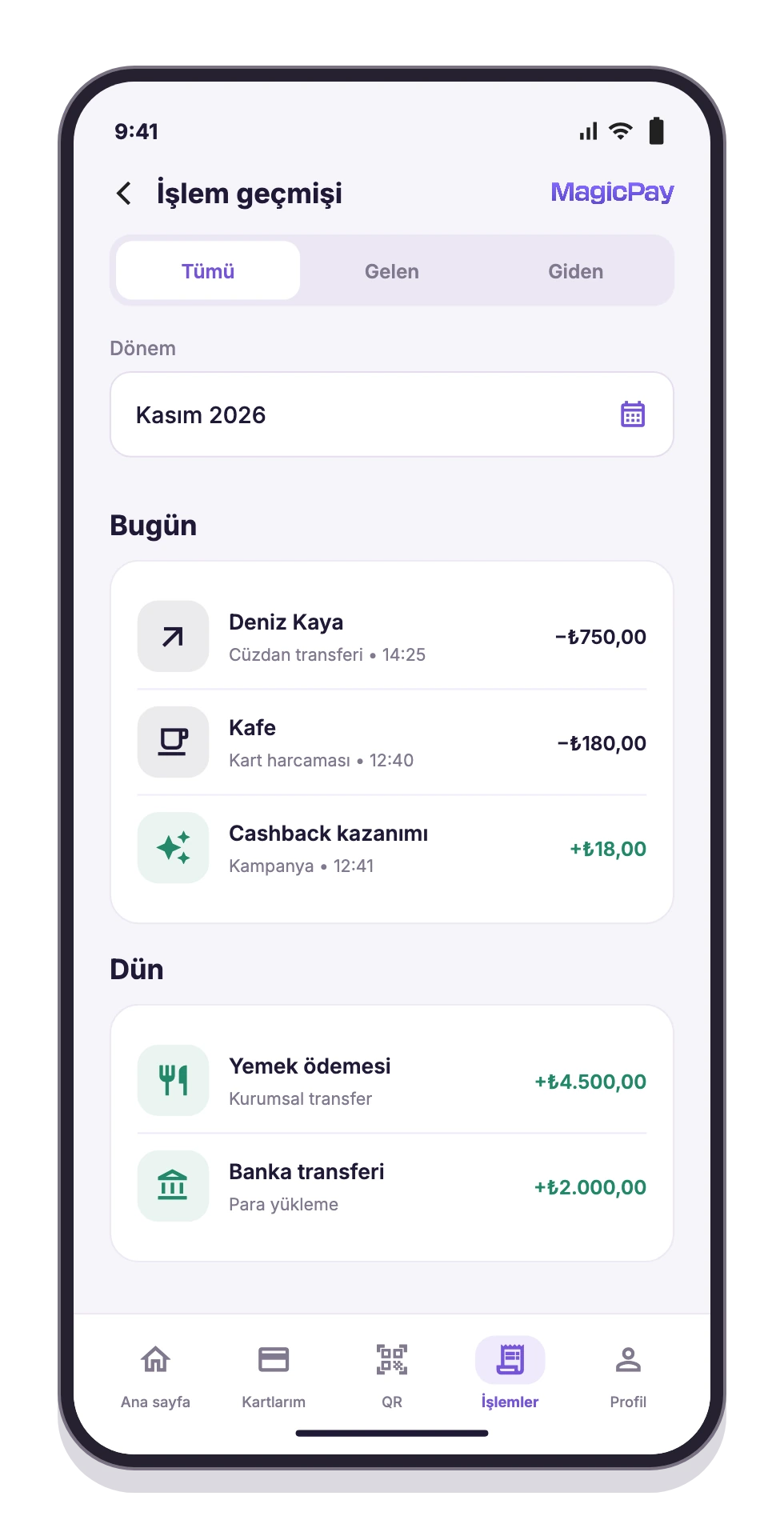
Bring funding, transfers, payments and card activity into a shared transaction history. Individual users can view their own activity, while business teams follow operations using date, transaction type and status filters. Moving from a bulk payment's overall result to an individual recipient's details helps teams carry out daily finance checks and answer customer questions.

Transfers, card spending and cashback activity
Transaction history and reporting

Security and account management

Build identity verification, transaction limits and account security checks into wallet flows. Separate business users' access by role and permission. Records that need review or approval stay within the relevant operational workflow, so each team can work within its area of responsibility.

A management dashboard for your business

Manage users, merchants, funds movements and card operations from a central dashboard. Track commission and limit settings, bank reports, reconciliation and customer requests within the same operational structure. Customer operations, finance and merchant teams access the records relevant to their work through their assigned permissions.

Request money

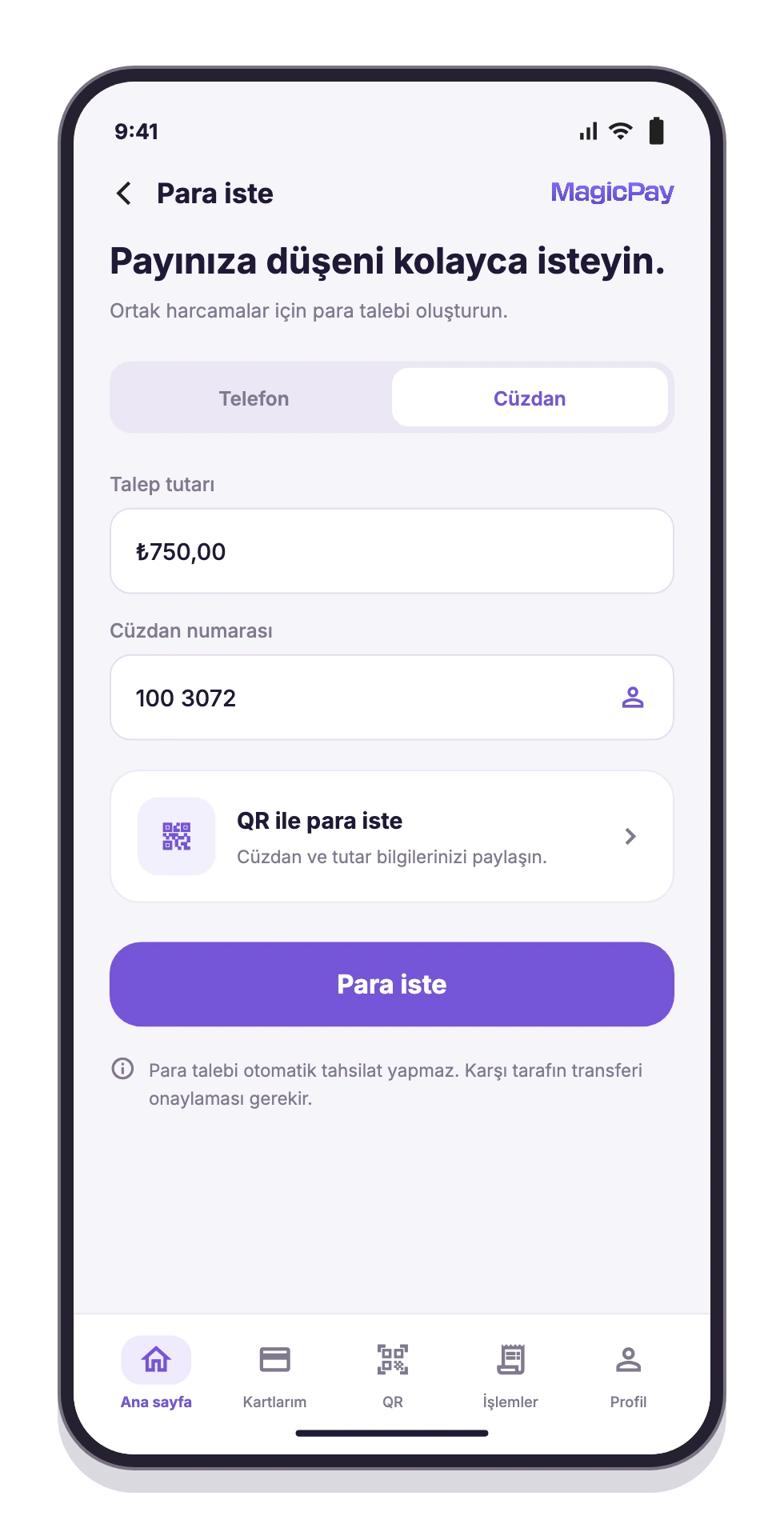
Let users send payment requests to other users and track incoming and outgoing requests in the app. Whether they are splitting a shared expense or asking a friend to repay a purchase, the amount and description stay together in one flow. Sending a request does not automatically debit the other person's account; moving the money requires separate payment approval.

Creating a money request from the wallet
Request money

QR wallet transfers

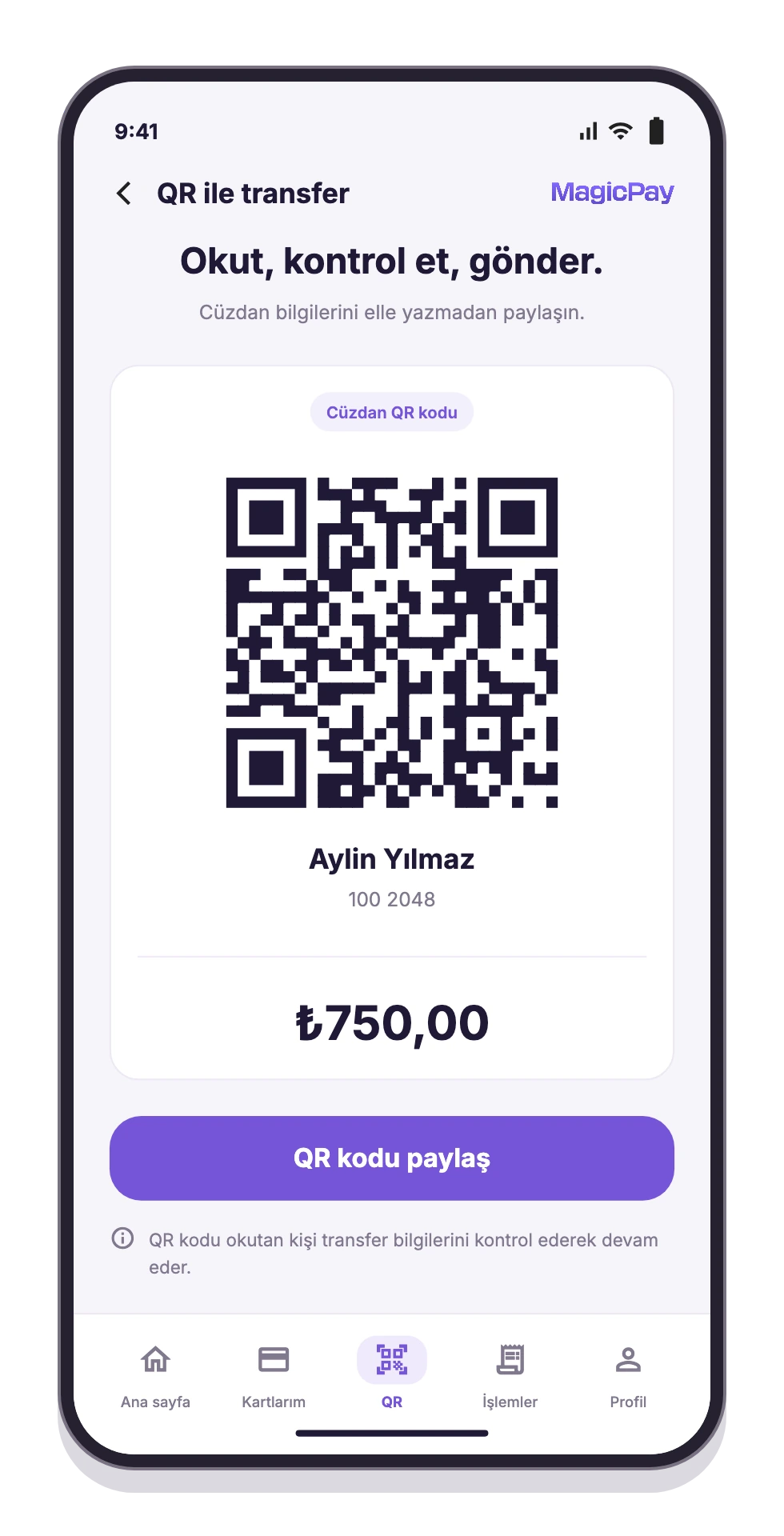
Make transfers easier to prepare with a QR code containing the recipient wallet details and amount. After scanning the code, the user reviews the details on the transfer screen and approves the transaction. This is a wallet-to-wallet transfer flow, not a merchant POS payment flow, and it does not imply compatibility with all bank QR codes.

Sharing wallet and amount details with a QR code
QR wallet transfers

Saved IBANs and frequent recipients

Make it easier for users to find the IBANs and recipients they send money to regularly. Saved details remove the need to re-enter information for repeat transfers, while the recipient and amount are checked in the same flow before sending.

Digital receipts

Keep receipts for supported payments and transfers linked to their transaction details. Users can open the relevant entry to view a receipt when they need it, while support and operations teams work from the same transaction reference.

Digital gift vouchers

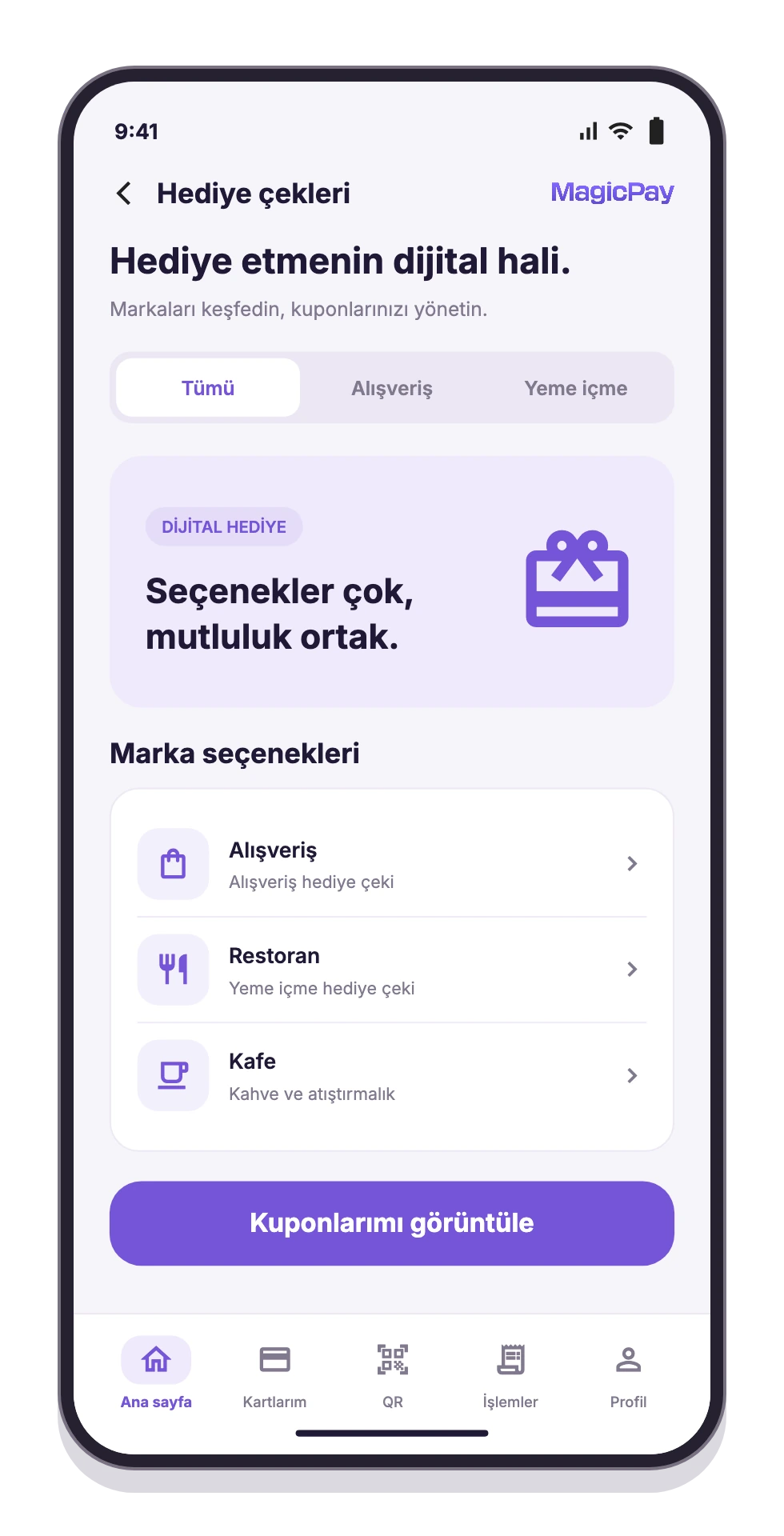
Add gift vouchers and coupons from supported brands to your wallet experience. Users can review the brand, category, amount, validity period and eligible uses before making a choice. Purchased vouchers appear in the app with the relevant brand's terms.

Shopping and dining gift voucher options
Digital gift vouchers

Fuel cards

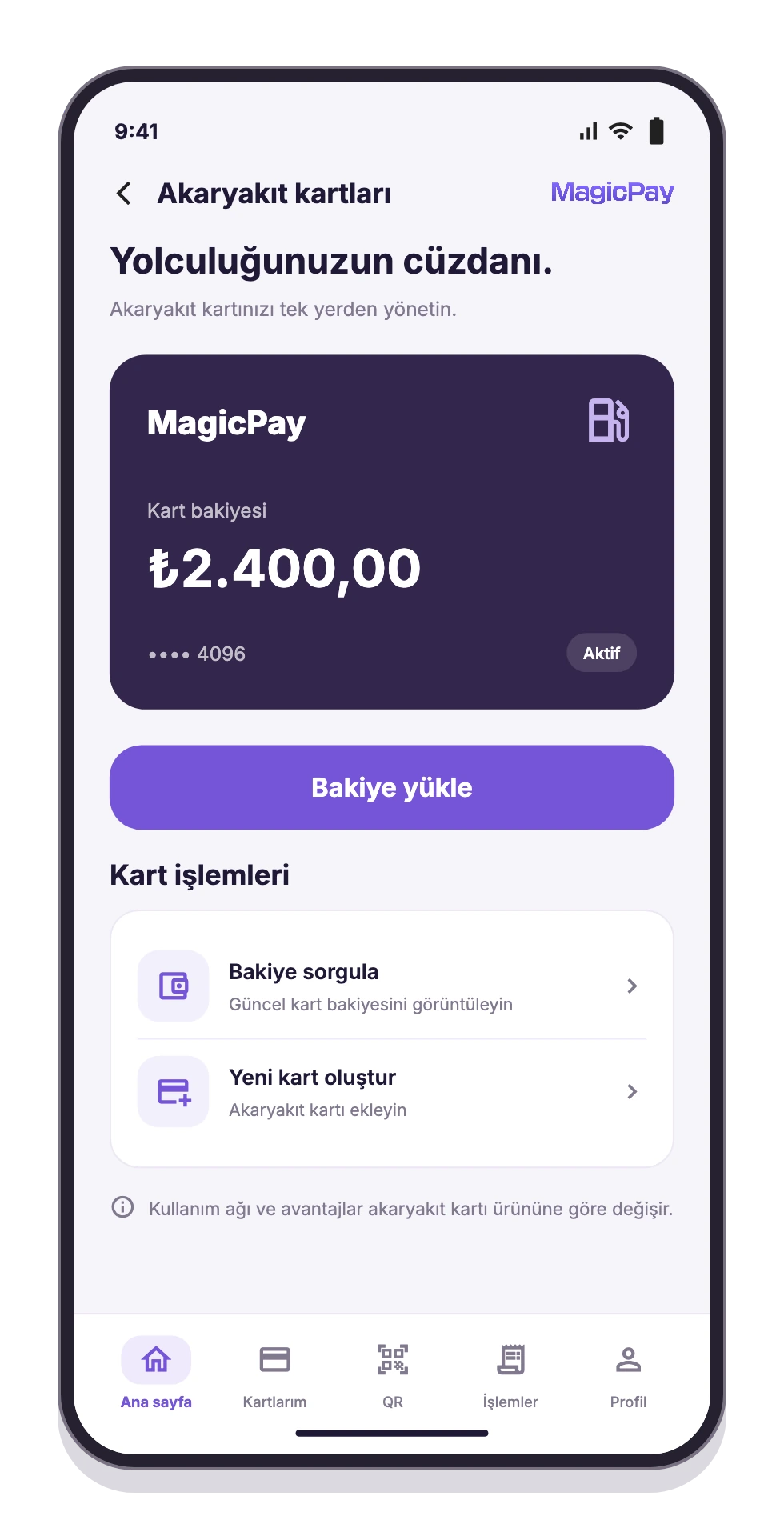
Manage the creation, balance display and top-up of supported fuel cards in the app. Users can check a card's balance before starting a top-up. Participating station networks and any discount terms are shown for the relevant card product; acceptance at every station or a fixed discount rate is not assumed.

Fuel card balance and top-up actions
Fuel cards

Digital identity verification

Bring account verification into the mobile app. NFC identity document reading and facial verification flows are available on supported devices. Users follow the steps offered for their device capabilities and account status, with transaction permissions and limits tied to verification and product rules.

Notification preferences

Bring app notifications and communication preferences into the same account experience. Users can view notifications and manage their SMS, email and app notification preferences. Transaction history and the notification screen make it easier to return to the relevant activity.

In-app support requests

Let users submit questions and transaction enquiries from within the app. Requests capture a topic, subject and description, giving the operations team the context behind each enquiry. Starting account and payment enquiries within the wallet experience makes support requests easier to follow.

ATM QR transactions

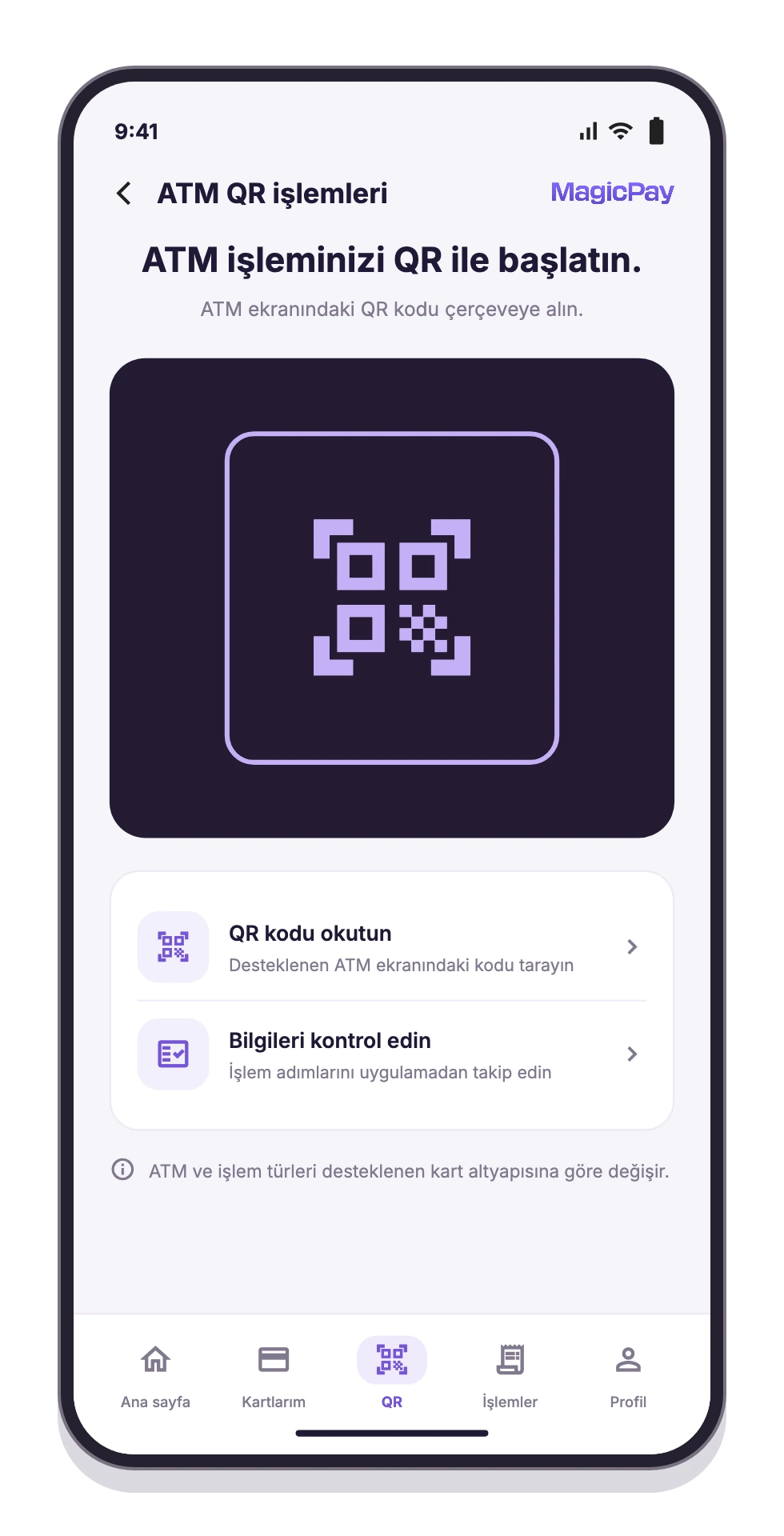
Let users start QR transaction flows from the mobile app where the ATM and card infrastructure support them. Users retrieve the QR transaction information, review the details and follow the app's guidance to complete the required steps. This is a separate flow from QR wallet-to-wallet transfers.

ATM QR transaction flow in the mobile app
ATM QR transactions

International money transfers

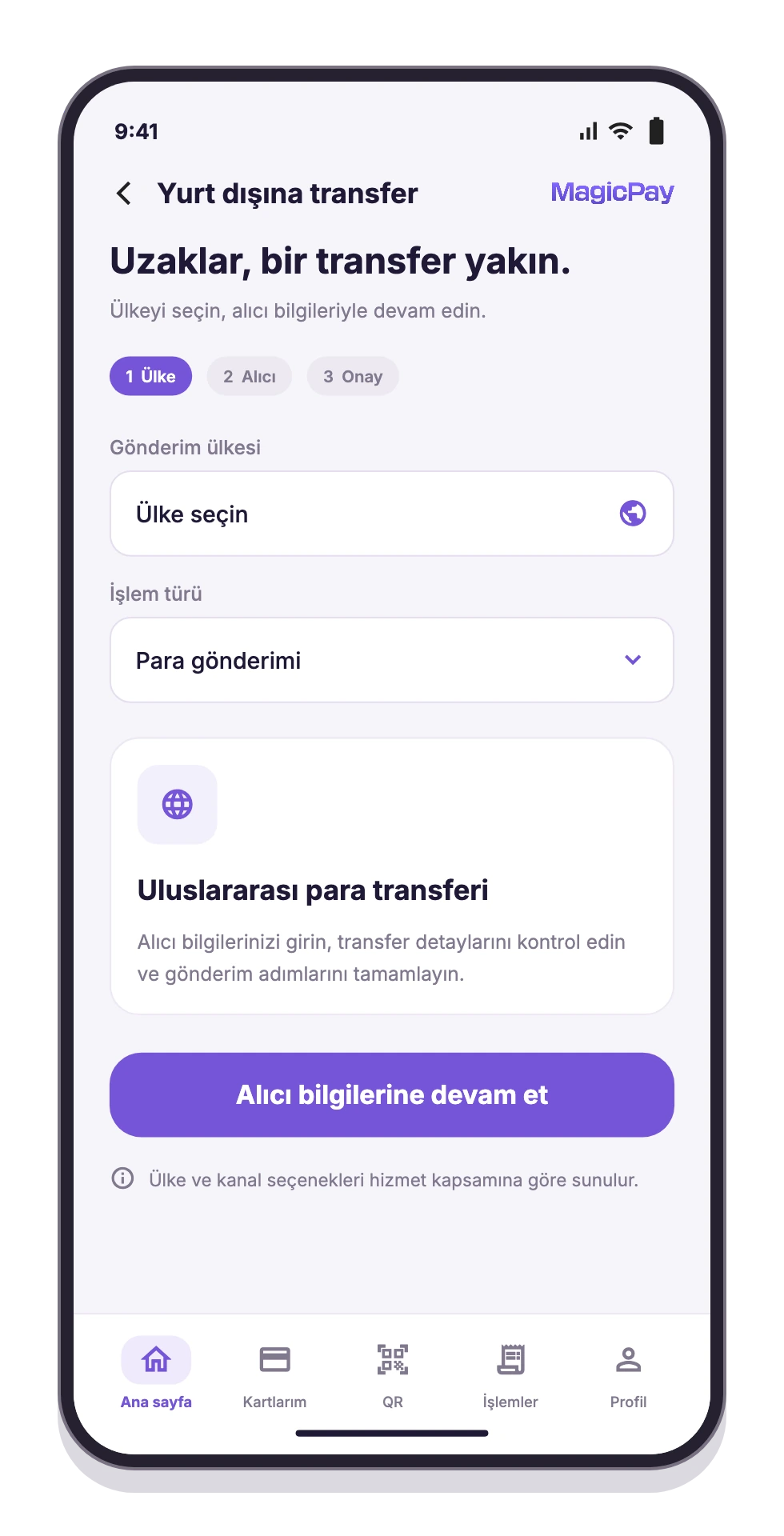
Offer transfers to supported countries within the wallet app. Users select the destination country and transfer type, enter the required recipient and transaction information, then review the details before confirming. Results can be tracked in the same app; available countries and transfer options are limited to the relevant provider's coverage.

Country and transaction type selection for international transfers
International money transfers

Who is it for?

The wallet infrastructure brings your brand's user experience together with business finance and operational needs on the same platform.

  • Brands serving individual users: everyday payments, card use, money transfers and payment requests.
  • Business finance teams: bulk transfers, employee payments and transaction result checks.
  • HR teams: preparing meal allowance and employee payment lists alongside finance.
  • Merchant and operations teams: customer requests, funds movements and dashboard tasks within their permissions.
  • Campaign and loyalty teams: participating merchant offers, cashback and gift voucher benefits.

Example use cases

Use the same wallet infrastructure for everyday user journeys and business payment operations, with a flow for each use case. Explore the following scenarios.

  • Everyday payments: add funds, spend with a card and pay supported bills, then review transactions and receipts at the end of the day.
  • Shared expenses: send a payment request, track the incoming transfer and share transfer details through a QR code containing the recipient and amount.
  • Business meal allowances: select the company and product, upload an Excel recipient list or enter it manually, run checks, schedule payments and track results by recipient.
  • Shopping benefits: use discounts, cashback and gift vouchers under the relevant campaign and voucher terms.

Build your wallet experience in three steps

Plan your branded app and business operations together. Launch the mobile experience and management dashboard using the same user and transaction scenarios.

  • 1. Define: map out personal and business accounts, products, the card program and relevant provider connections.
  • 2. Connect: bring together the mobile app, user accounts, transaction records and dashboard workflows.
  • 3. Validate: test funding, transfers, cards, bill payments and bulk payment results against the same scenarios before launch.

MagicPay provides technical wallet infrastructure, not a consumer wallet service of its own. Electronic money, card and transfer services are delivered within the scope of the relevant authorized institutions and providers. Available countries, cards, ATM networks, billers and campaigns depend on the account, product and verification status. Processing times and cashback terms are governed by the relevant channel or campaign.

Related solutions and resources

Let's build your personal and business wallet experience together.

Explore the mobile app, bulk transfers and management dashboard through your own use case.

Request a Demo

Walk through wallet flows and launch steps with us in a demo.

FAQ

Frequently asked questions

Answers to clarify usage and integration scope.

How do businesses use MagicPay wallet infrastructure? +

Businesses use MagicPay technology infrastructure to offer a branded wallet to their own customers. The mobile app connects customer journeys with the work of finance and operations teams in a shared dashboard. Personal payments, bulk transfers, meal allowances and employee payments run on the same infrastructure, with electronic money, card and transfer services delivered within the scope of the relevant authorized institutions and providers.

How do personal and business wallets differ? +

Personal wallets focus on everyday payments, cards and personal transfers. Business wallets bring together payment preparation by company, bulk transfers, meal allowances, other employee payments and operational tracking.

How do wallet transfers and money requests work? +

A transfer sends funds to another wallet. A money request asks another user to make a payment; it does not move money on its own or automatically debit their account. The payment requires separate approval. Wallet transfers can also use a QR code containing the recipient and amount. This flow is not a POS payment and does not imply compatibility with all bank QR codes.

Can I see bulk payment results for each recipient? +

Bulk payment results can be reviewed by recipient and payment row. Completed payments are tracked separately from failed transactions and those that require review. Company and product selection keeps payment purposes distinct.

How are cashback rewards determined? +

Cashback applies to spending that meets the relevant campaign's conditions. The reward rate or amount, cap, crediting time and usage terms are shown for each campaign. Not every purchase automatically earns cashback.

What determines available features and transaction limits? +

Account type, verification status, company and product settings, and the relevant provider's coverage are considered together. Available cards, ATM networks, billers, countries and campaigns depend on that scope. Withdrawal and transfer times depend on the channel used and transaction checks.