When you work with multiple banks, processing fees, installment terms and transaction outcomes vary between connections. Sending every payment through the same acquiring account makes those differences harder to manage. MagicPay AI Routing evaluates each payment's card and transaction details against your commercial rules and sends the request to an eligible online acquiring connection. Manage provider selection centrally instead of distributing it across your sales applications. Keep your cost priorities in view, monitor payment success using your own transaction data and let your teams see why each route was selected from the same record.
Identify the card and select an eligible connection
The card's BIN, issuing bank and card program inform the routing decision. You do not have to apply the same priorities to credit cards, debit cards, commercial cards and cards issued abroad. Selection takes place only among connected providers eligible for the transaction; installment and card conditions are evaluated alongside your bank agreements.
- Provider priorities by card program and BIN
- Separate transaction groups by card type and issuing country
- Card and installment selection aligned with bank agreements
Manage your own routing rules
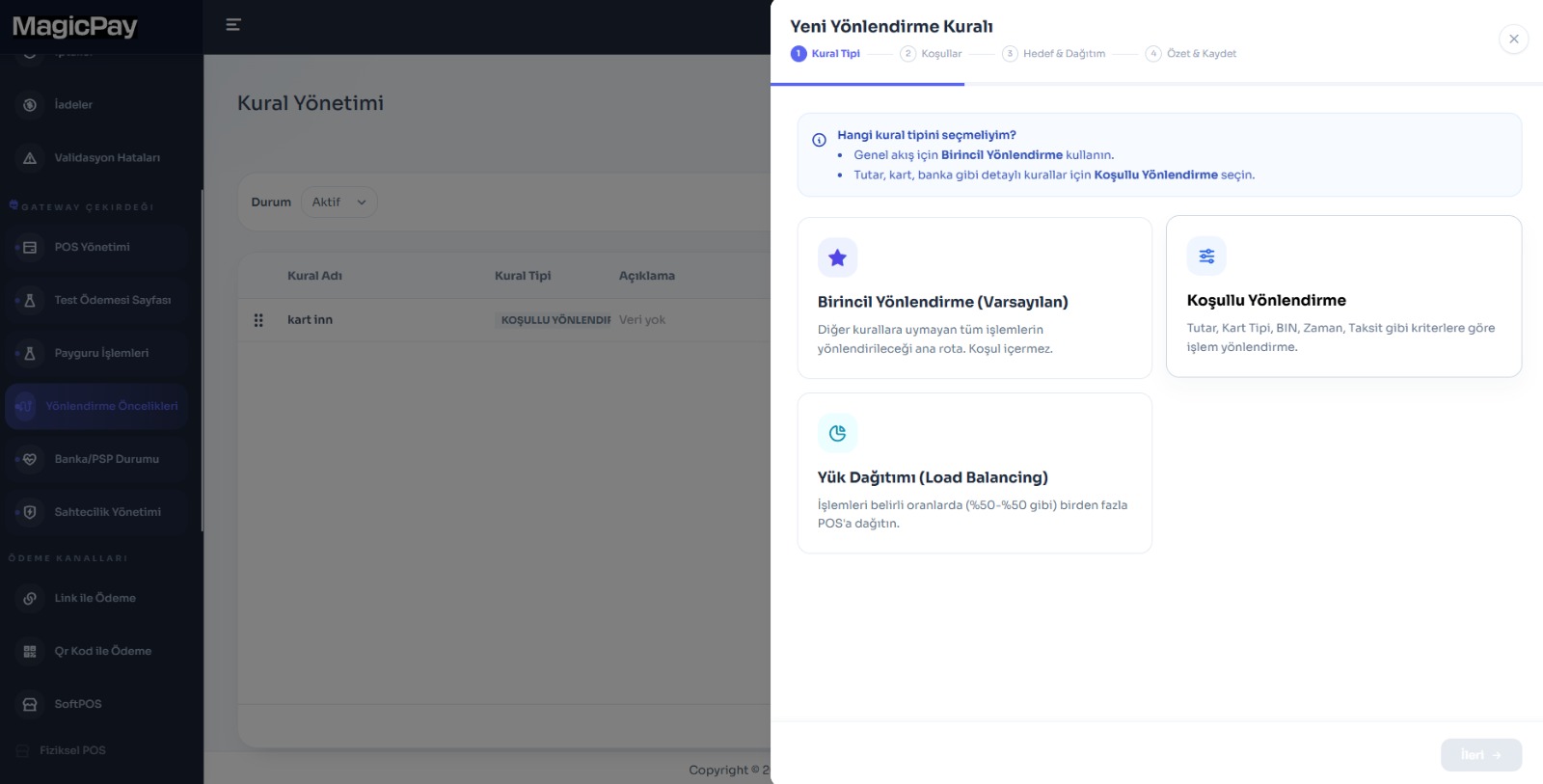
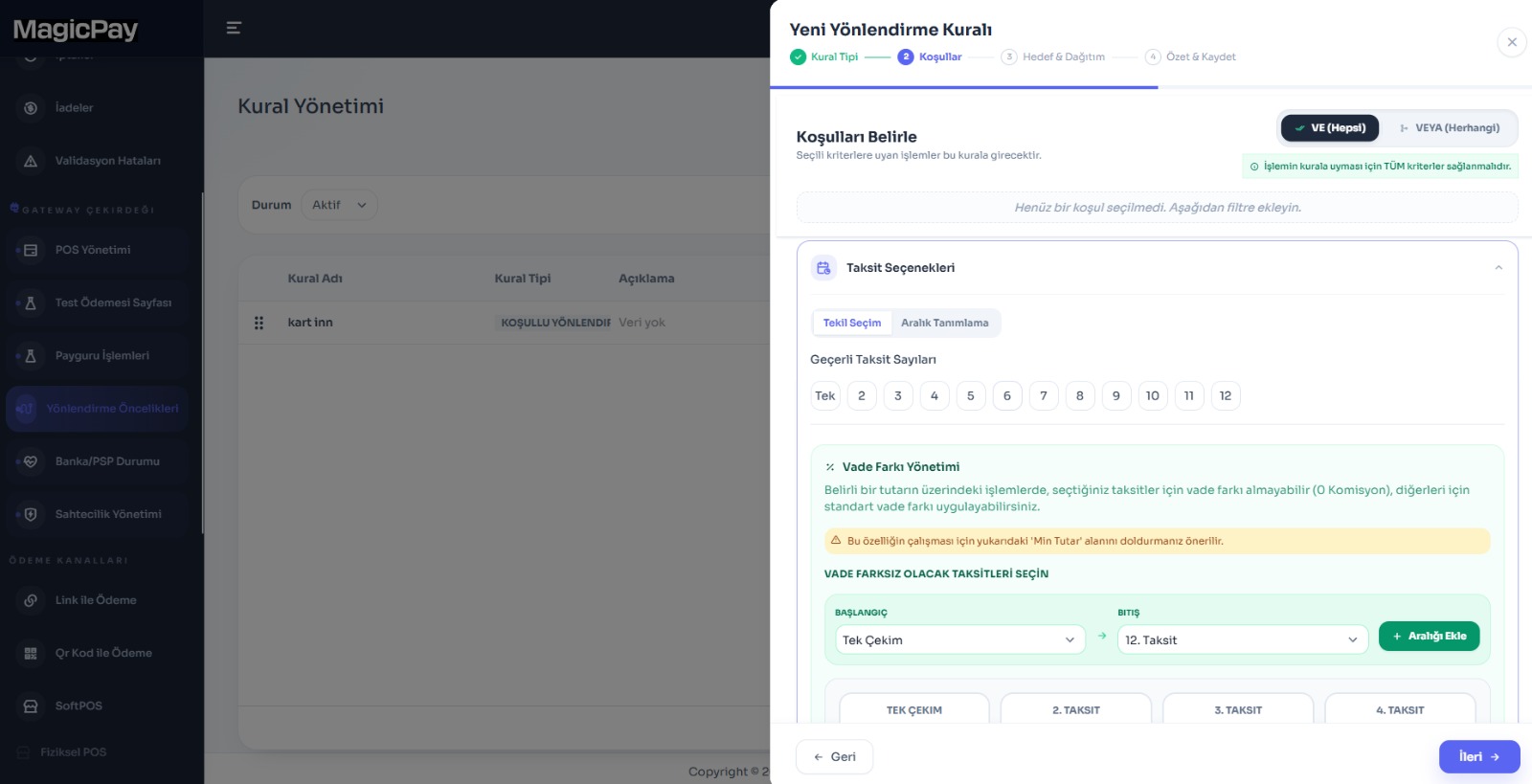
After integrating with MagicPay, define and update routing rules in the dashboard. Turn new commercial terms into shared decision rules rather than separate development tasks for every sales channel. Combine criteria to manage campaigns, different basket values and bank volume targets centrally.
- Card program and BIN: Route each card group to your chosen providers.
- Installments: Set separate priorities for single payments and different installment options.
- Amount and currency: Select routes suited to each transaction group.
- Card type: Handle commercial, consumer, debit and foreign-issued cards separately.
- Time and day: Apply rules for campaigns and specific periods.
- Volume allocation: Distribute transactions according to your bank volume targets.
Magic AI recommends; you decide
Magic AI analyzes provider outcomes and cost relationships in your transaction history to recommend improvements to routing rules. Use your own data to review which card and transaction groups could benefit from a different priority. You remain in control of applying a recommendation. Track changes alongside transaction outcomes to plan your next adjustment.
Bring your own data to bank negotiations
Review the selected route, transaction amount, processing fee terms and provider outcome together. Compare the impact of rules across similar card, installment and channel groups. Seeing how you allocate volume across connections makes your commercial priorities more concrete in bank negotiations. Assess costs using the full picture of actual transactions, not just a rate table.
Smart routing in three steps
Bring your connections, commercial priorities and outcome tracking into one payment workflow.
- 1. Map your bank accounts and card, installment, amount and currency conditions.
- 2. Configure provider priorities and volume allocation in the dashboard, then test your payment scenarios.
- 3. Review route outcomes and Magic AI recommendations to update your rules.
For teams using multiple acquiring connections
E-commerce stores, marketplaces, subscription services and businesses with dealer networks can manage different sales needs through one rule structure. Engineering focuses on connectivity and finance on fees and reconciliation, while operations works from the same routing history. Connect provider health through Uninterrupted Payments and individual technical errors through Payment Retry in the same architecture.