Payment orchestration manages multiple provider connections alongside routing, outcome tracking and post-sale operations. The MagicGate API brings supported bank and payment provider acquiring connections into one transaction model. Keep your existing agreements and send order, amount and currency details through one integration instead of building a separate payment flow for each bank. MagicGate handles connectivity, AI Routing handles provider selection and Dashboard tracks payments and refunds. Ecommerce and dealer collections share business references.
Unify your online acquiring connections with one integration
Connect the banks and payment institutions you work with to MagicGate's shared transaction model. Your website and application use the same payment request, while provider-specific requests are handled in the connection layer. When you add a new supported bank, you do not need to rebuild your core payment flow for every sales channel.
- Your own agreements: Use your existing bank and payment institution accounts, and manage provider selection alongside your commercial terms.
- Shared payment model: Send the order, amount and currency through one API layer.
- Payment experience: Combine the API connection with MagicPay Checkout and your payment form flow.
Control your costs with smart payment routing
The value of multiple online acquiring connections lies in sending the right transaction to the right connection. MagicPay's rule structure matches card program, installment, amount and currency details to your provider priorities. Factor your processing fee terms into payment decisions and track the results in your own transaction data.
- Card program: Route transactions to configured connections based on card and bank eligibility.
- Installments: Use separate provider priorities for single-payment and installment sales.
- Amount and currency: Define routing rules for different transaction groups.
- Measurement: Compare the impact of rule changes by reviewing the route, provider outcome and transaction amount together.
An alternative payment route during a bank outage
Define what happens next in the payment flow when a connection returns a technical error. For eligible transactions, MagicPay links alternative providers and controlled retries to the same payment request. An uncertain outcome is checked first, and the initial attempt and subsequent steps are tracked under a shared business reference. Support can investigate the error and engineering can review the routing decision from the same history.
- Separate handling for technical errors, definitive declines and pending outcomes
- Rule-based alternative routes for eligible error types
- Attempt history linked to the original payment request
Payments, refunds and reconciliation in one dashboard
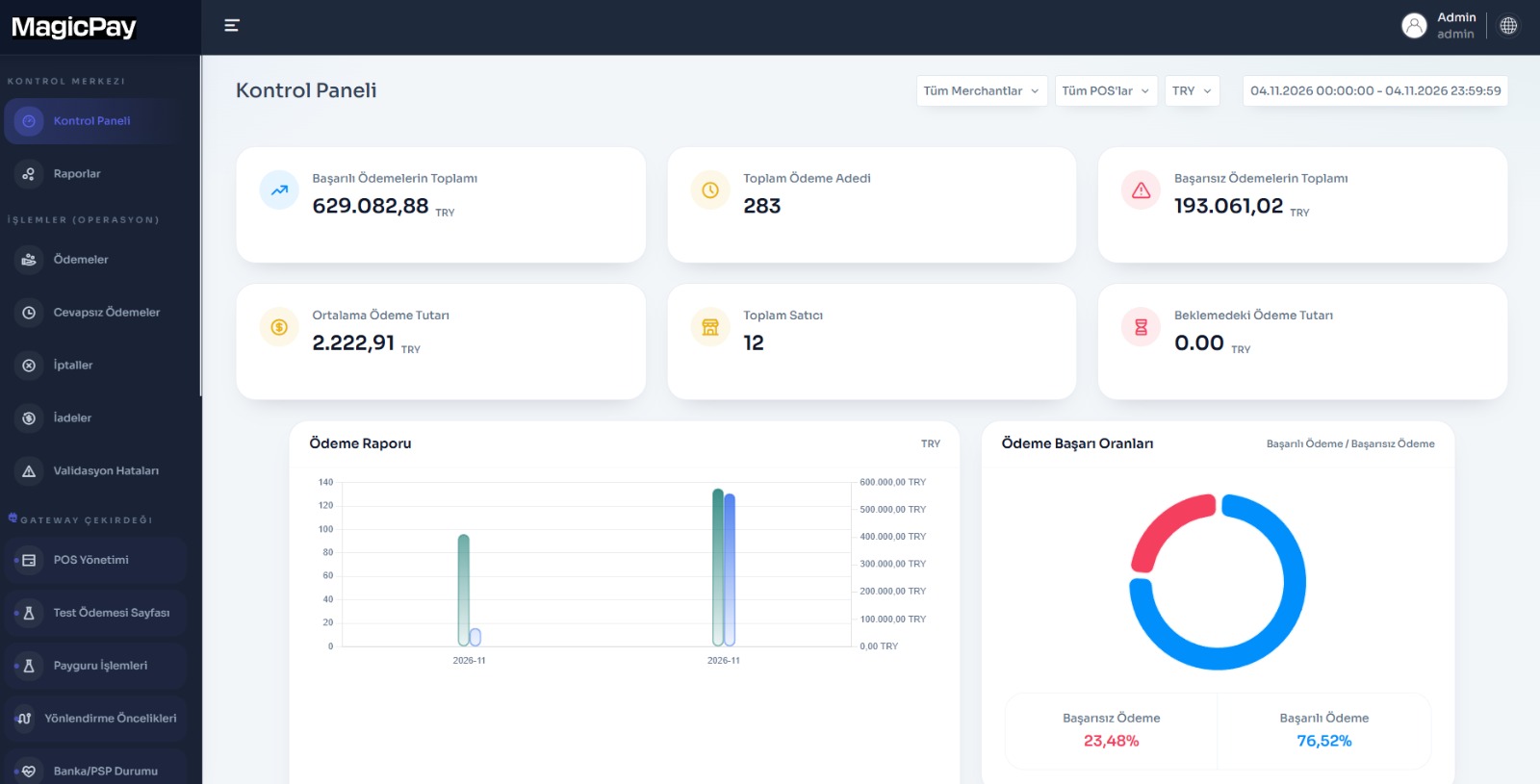
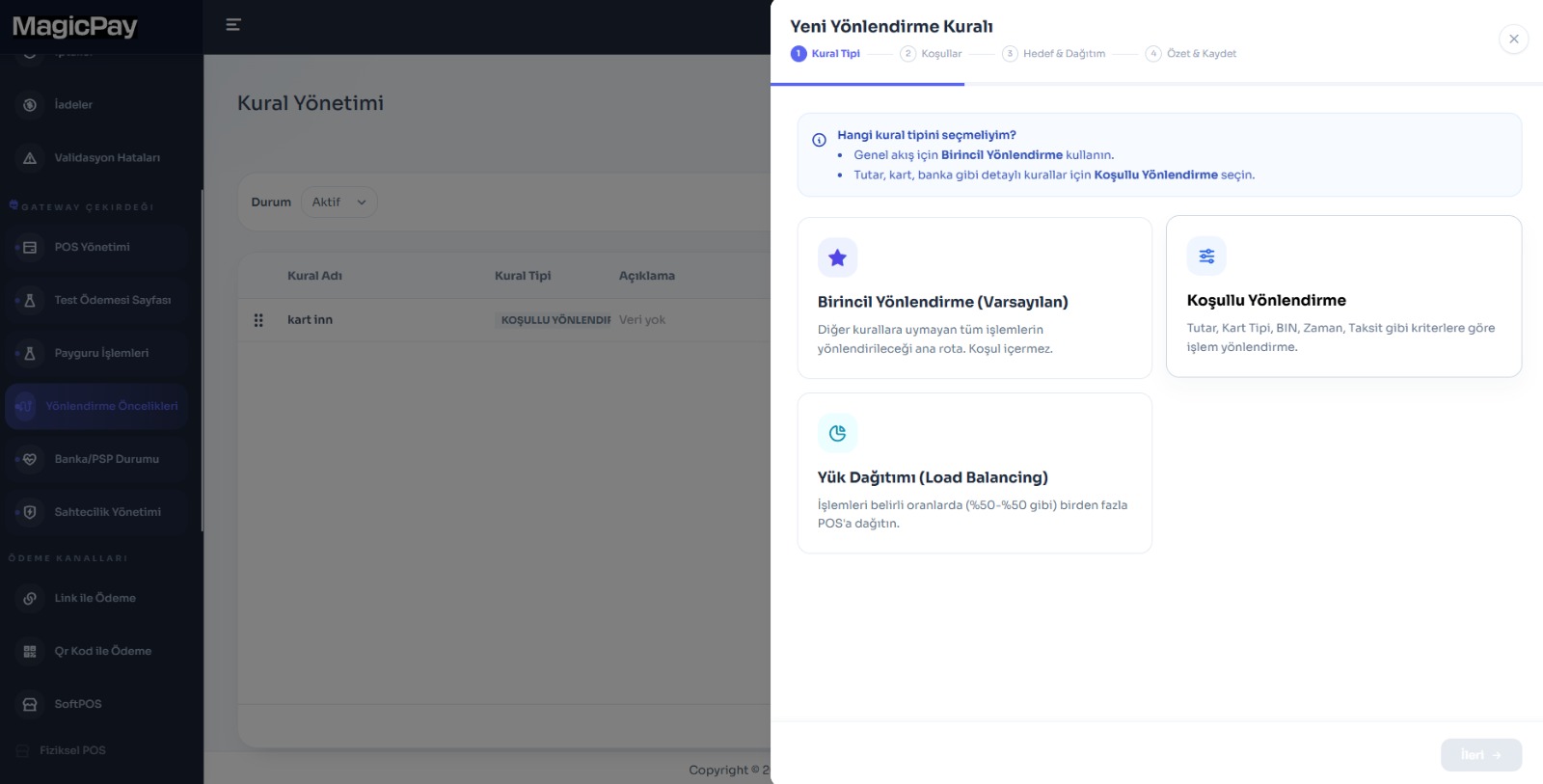
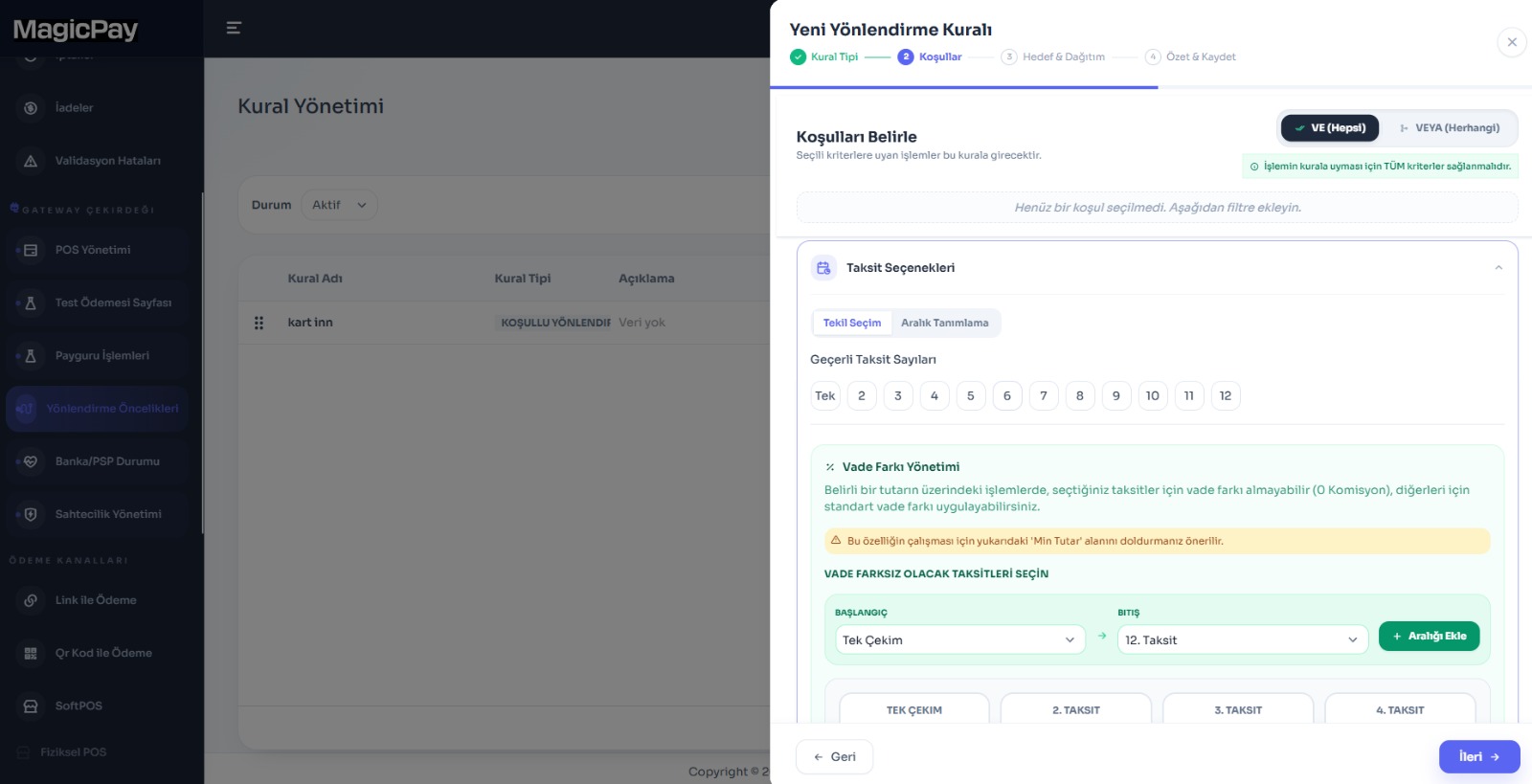
Your finance team should not have to search every bank's dashboard separately to investigate a collection. Track the provider used for an order, the payment outcome and any related refunds from a shared record. Customer support starts with the order reference, while finance follows the same reference through to the provider and reconciliation records. The supplied dashboard shows payment summaries and outcome distribution. Routing rule screens include primary, conditional and load-distribution choices, with installment and AND/OR conditions. Evaluate these controls using your own transaction data and test scenarios.
- Order-linked payment, cancellation and refund records
- Breakdowns by provider, channel and transaction status
- A shared starting point for support and finance investigations
Gateway and dealer collections on the same platform
Use MagicPay not just as an online payment connection, but as the shared layer for your multichannel collection operations. In dealer collections, the payment request is linked to the dealer and invoice, and the completed payment is automatically posted to the trade-account/ERP record. For store and field transactions, Physical POS and Soft POS connect to the same sales record. Even when the channel changes, your teams work from the dealer, order and payment references.
- E-commerce: Checkout and the provider outcome linked to the same order
- Dealer network: B2B collections with a portal, links and trade-account matching
- Store and field sales: Card payments linked to the branch, device and representative
Move to payment orchestration in three steps
Connect your existing setup to a shared workflow, whether you run an online store using multiple banks, a marketplace, a manufacturer with a dealer network or a multichannel brand.
- 1. Map your bank and payment institution accounts, sales channels and priority workflow.
- 2. Run payment, routing, cancellation and refund scenarios in the test environment.
- 3. Connect the results to order, trade-account and reconciliation workflows, bringing your teams together in the same dashboard.